
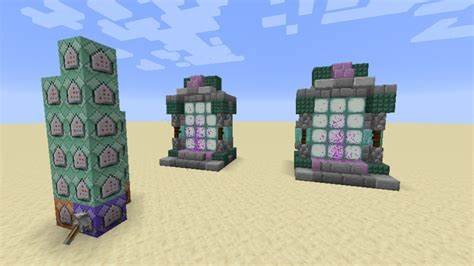
Minecraft, the ever-popular sandbox game, boasts a vast and expansive world. While exploration is a core element, traversing these sprawling landscapes can be a time-consuming endeavor.
Thankfully, Mojang Studios has gifted players with the art of teleportation, allowing them to bypass the tedium and reach their destinations swiftly. This comprehensive guide delves into the world of Minecraft teleportation, exploring its various methods, applications, and considerations.
Methods of Teleportation: From Ender Pearls to Admin Commands
There are two primary ways to teleport in Minecraft: utilizing in-game items and wielding the power of admin commands (available only in creative mode or on servers with permission).
The Ender Pearl: This shimmering white orb, dropped by Endermen, serves as the quintessential teleportation item. Throwing an Ender Pearl instantly transports the player to the point of impact, making it ideal for short-distance travel or navigating tricky terrain. However, be cautious! Ender Pearls have a slight inaccuracy, sometimes landing you a block or two away from the target location. Additionally, teleporting into solid blocks results in suffocation damage.
Chorus Fruit: Found exclusively in The End dimension, this vibrantly purple fruit offers a unique form of teleportation. Consuming a Chorus Fruit warps the player up to eight blocks in a random direction, even through solid objects. This can be a lifesaver when trapped underground or escaping perilous situations. Remember, Chorus Fruit teleportation prioritizes finding empty space, so using it near cliffs or bodies of water might lead to unintended consequences.
The Nether Portal: While not strictly teleportation, Nether Portals act as gateways between the Overworld and the Nether, a fiery dimension with travel advantages. Constructing a Nether Portal using Obsidian allows players to step through and traverse vast distances in the Nether, which translates to a much faster journey when returning to the Overworld due to its 1:8 scale.
Admin Commands (Creative Mode/Servers): For those with the appropriate permissions, admin commands offer unparalleled teleportation control. The /tp command, followed by target coordinates or player names, allows instant teleportation to any designated location. Teleporting to other players is also possible using /tp <playername>. These commands grant immense freedom for exploration and server management.
Utilizing Teleportation Effectively: Strategies and Applications
Teleportation in Minecraft transcends simply getting from point A to point B. Here are some effective ways to leverage this ability:
Exploration: Quickly reach distant biomes, locate rare structures like villages or fortresses, and discover uncharted territories. Teleportation streamlines exploration, allowing players to focus on uncovering the secrets of the world.
Travel Hubs: Establish designated teleportation hubs around your world using Nether Portals or strategically placed Ender Pearl stashes. This creates a network of quick travel points, saving time and effort on frequent journeys.
Minecart Networks: Combine minecart tracks with strategically placed teleportation points to create a rapid transit system. This is particularly useful for large-scale builds or servers with expansive player bases.
Server Management (For Servers): Teleportation commands become instrumental for server administrators. Use them to teleport players who are lost, manage events by warping participants to specific locations, or enforce server rules by teleporting disruptive players away.
Creative Building: Teleportation allows builders to effortlessly move between different sections of their project, streamlining the construction process and enabling them to focus on the creative aspects.
Escaping Peril: Stuck in a cave with low health or facing a formidable foe? A well-timed Ender Pearl toss can be your escape route, allowing you to teleport to safety and regroup.

Considerations and Cautions: The Art of Responsible Teleportation
While teleportation offers immense benefits, there are certain aspects to consider:
Resource Management: Ender Pearls and Chorus Fruit are not readily available resources. Use them strategically to avoid running out when needed.
Server Rules: On multiplayer servers, teleportation might be restricted or require permission. Always adhere to server rules to avoid getting banned.
Exploration Value: Teleportation can detract from the natural exploration experience. Use it judiciously to maintain a sense of discovery and adventure.
Griefing Potential: On servers, unrestricted teleportation can be misused for griefing – purposefully harming other players’ builds.
The Future of Teleportation in Minecraft
Mojang Studios has continuously explored expanding teleportation mechanics. Here are some potential future developments:
Enchanted Items: Imagine boots that grant short-distance teleportation or a pickaxe imbued with the power to teleport mined ores directly to your base.
Teleportation Potions: A consumable potion that warps the player to a specific biome or location could add an interesting layer of strategic teleportation.

FAQs
What are the different types of teleportation in Minecraft?
Commands: Players can use the /tp command to teleport themselves or others to specific coordinates or other players.
Ender Pearls: Throwing an Ender Pearl allows the player to teleport to the location where the pearl lands.
Nether Portals: Players can use Nether portals to travel between the Overworld and the Nether, effectively teleporting them across long distances in the Overworld.
How do I use the /tp command?
To use the /tp command, open the chat window and type /tp [target player] [destination]. The target player can be yourself or another player, and the destination can be another player, coordinates, or a set of relative coordinates.
What are the coordinates for teleporting using commands?
Coordinates are the x, y, and z values that represent a specific location in the world. For example, /tp @p 100 64 -200 would teleport the nearest player to coordinates (100, 64, -200).
How do I throw an Ender Pearl for teleportation?
To teleport using an Ender Pearl, equip the pearl in your hotbar and throw it as you would any other projectile. You will teleport to the location where the pearl lands. Be aware that using an Ender Pearl inflicts a small amount of damage on the player.
How do I use Nether portals for teleportation?
You can build a Nether portal using obsidian blocks and a flint and steel to ignite it. Entering the portal will teleport you to the corresponding portal in the Nether. Exiting the Nether portal will take you back to your original Overworld portal.
Can I teleport between dimensions using commands?
Yes, you can use the /tp command to teleport between dimensions. For example, /tp @p 100 64 -200 1 would teleport the nearest player to coordinates (100, 64, -200) in the Nether dimension.
Are there any mods or plugins that add teleporters in Minecraft?
Yes, there are various mods and plugins available for different versions of Minecraft that add teleportation devices, such as teleporter blocks or other methods of instantaneous travel.
Can entities other than players be teleported?
Yes, entities such as animals, mobs, and items can also be teleported using the /tp command or other methods such as Ender Pearls (though the latter is less practical for entities other than players).
What are some potential issues with teleportation?
Teleporting to incorrect coordinates can lead to players spawning in dangerous or inaccessible locations. When teleporting long distances, players should be mindful of potential fall damage upon arrival.
Can teleporters be used in multiplayer servers?
Yes, teleportation commands and methods are commonly used in multiplayer servers for player convenience and gameplay purposes. However, server administrators may restrict the use of commands for balance reasons.
To read more, Click here