
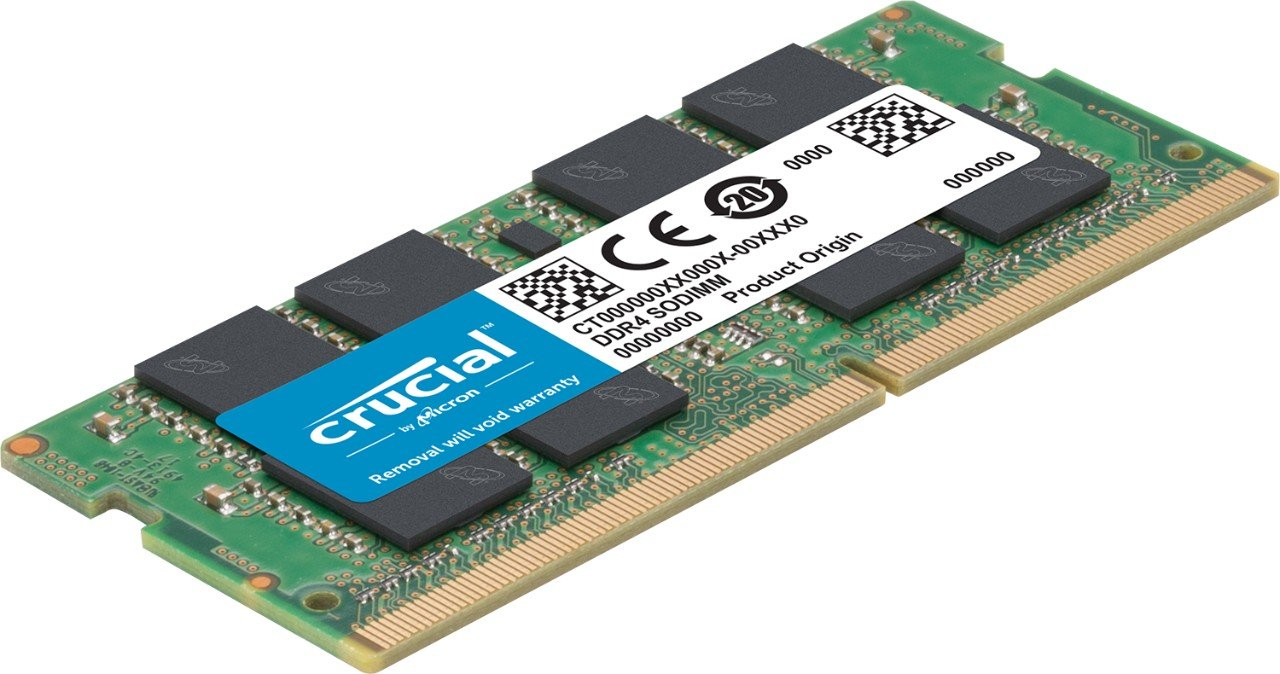
In the fast-evolving world of technology, the specifications of our devices are often a critical factor in performance and usability. Among these specifications, RAM (Random Access Memory) is one of the most pivotal. Specifically, 8GB RAM has become a common standard in many modern devices, including laptops, desktops, and smartphones. This article delves into what 8GB RAM means, its benefits, and why it could be the right choice for your computing needs.
Understanding RAM and Its Function
Before exploring the specifics of 8GB RAM, it’s essential to understand what RAM is and how it functions. RAM is a type of volatile memory that temporarily stores data that the CPU (Central Processing Unit) needs to access quickly. Unlike long-term storage like SSDs or HDDs, RAM is used for short-term data access, making it crucial for running applications smoothly and efficiently.
When you open a program or file, the data is loaded into RAM so the CPU can access it more rapidly than if it were retrieving it from a slower storage medium. Once you close the program or file, that data is cleared from RAM. The speed and performance of RAM can significantly influence your device’s overall performance.
The Benefits of 8GB RAM
Enhanced Multitasking
One of the most significant advantages of having 8GB of RAM is improved multitasking capabilities. With 8GB RAM, your computer can handle multiple applications simultaneously without significant slowdowns. This is particularly beneficial for users who need to run several programs at once, such as web browsers with numerous tabs open, word processors, and media players.
Better Performance for Everyday Tasks
For most everyday tasks, 8GB RAM provides ample memory to ensure smooth performance. Tasks such as browsing the web, streaming videos, and using office applications generally do not require more than 8GB of RAM. This makes it an excellent choice for standard use cases and ensures that your system remains responsive and efficient.
Gaming and Media Creation
While 16GB or more might be recommended for high-end gaming and professional media creation, 8GB RAM is still quite adequate for many modern games and creative applications. Many popular games and media software run smoothly with 8GB, though some more demanding applications might benefit from additional memory. If you’re a casual gamer or an amateur content creator, 8GB RAM should serve you well.
Cost-Effectiveness
From a cost perspective, 8GB RAM provides a balance between performance and price. It offers sufficient power for most users without the higher costs associated with more memory. This makes it an attractive option for budget-conscious individuals who still want to enjoy robust performance.
Future-Proofing
While 8GB RAM is currently sufficient for most tasks, it also offers a degree of future-proofing. As software and operating systems continue to evolve, they may become more memory-intensive. Having 8GB RAM ensures that your system remains capable of handling new updates and applications for a reasonable period.
When 8GB RAM Might Not Be Enough
Professional-Level Content Creation
For professionals involved in intensive content creation, such as video editing, 3D rendering, or large-scale graphic design, 8GB RAM might fall short. These tasks often require more memory to handle large files and complex processes efficiently. In such cases, upgrading to 16GB or even 32GB RAM may be necessary for optimal performance.
High-End Gaming
While 8GB RAM is adequate for many games, some of the latest titles and those with high-resolution textures might benefit from more memory. Gamers looking to play the most demanding games at the highest settings may find that 16GB RAM provides a smoother experience.
Heavy Multitasking
If you frequently run multiple high-memory applications simultaneously, such as virtual machines, data analysis tools, or extensive programming environments, 8GB RAM might become a bottleneck. In these scenarios, having more RAM can significantly enhance productivity and system responsiveness.
How to Upgrade or Choose the Right RAM
Check Compatibility
When upgrading or purchasing RAM, ensure compatibility with your device. Check the specifications of your motherboard or laptop to determine the maximum supported RAM and the type of RAM (e.g., DDR4). Compatibility issues can lead to system instability or failure to recognize the new memory.
Consider Your Needs
Evaluate your specific needs before deciding on the amount of RAM. For general use, 8GB is often sufficient, but for more demanding tasks, consider whether additional RAM would be beneficial. Assess your current usage patterns and future requirements to make an informed decision.
Professional Installation
If you’re not comfortable installing RAM yourself, consider seeking professional help. Proper installation is crucial to avoid damaging components or causing system issues. Many technicians or service centers offer RAM installation services.
FAQs
What Are the Benefits of 8GB RAM Over 4GB RAM?
Upgrading from 4GB to 8GB RAM offers several benefits. With 8GB RAM, you can run more applications simultaneously and handle larger files without experiencing significant slowdowns. Multitasking becomes smoother, and overall system performance improves. For users who often work with multiple programs or large files, 8GB RAM provides a noticeable performance boost compared to 4GB.
Will 8GB RAM Make My Computer Faster?
While 8GB RAM can improve your computer’s speed and responsiveness, it is not the sole factor influencing performance. Other components, such as the CPU and SSD or HDD, also play crucial roles. If your system is slow despite having 8GB RAM, consider evaluating other hardware components and optimizing software settings to enhance overall performance.
How Do I Know If My Device Needs More RAM?
If you frequently encounter slowdowns or performance issues while running multiple applications or handling large files, your device might benefit from additional RAM. Common signs include sluggish multitasking, frequent swapping of data to disk (page file usage), and performance drops during intensive tasks. Monitoring your system’s RAM usage through Task Manager (Windows) or Activity Monitor (Mac) can help assess if you need more memory.
Can I Mix Different RAM Sizes or Brands?
In most cases, it’s recommended to use matching RAM sticks in terms of size, speed, and brand for optimal compatibility and performance. While mixing different RAM sizes or brands may work, it can lead to instability or reduced performance. For best results, use identical RAM modules and ensure they are compatible with your motherboard.
Understanding 8GB RAM and its implications can help you make informed decisions about your computing needs. Whether you’re using your device for everyday tasks, gaming, or content creation, 8GB RAM strikes a good balance for most users. However, assessing your specific requirements and considering potential upgrades can ensure that your system continues to meet your performance expectations.
To read more, click here