
The Steam Community, a vibrant online hub for PC gamers, is an integral part of the Steam experience. It offers a vast array of features for players to connect, share experiences, and discover new games. However, for newcomers, the Steam Community can seem overwhelming. This comprehensive guide will navigate the functionalities, address frequently asked questions, and explore the potential pitfalls to avoid.
Unveiling the Steam Community Features:

The Steam Community boasts a diverse set of features designed to enhance the gaming experience. Here’s a breakdown of some key functionalities:
Game Discussions: Each game on Steam has a dedicated discussion forum where players can ask questions, share tips and strategies, discuss updates, and connect with others who share their passion for the game.
Reviews: User reviews are a cornerstone of the Steam Community. Players can write reviews for games they’ve played, offering valuable insights and influencing purchasing decisions for others. It’s important to note that review quality can vary, so reading a variety of reviews is recommended before making a purchase.
Guides & Walkthroughs: The Steam Community empowers players to create and share helpful guides and walkthroughs. These resources can be invaluable for navigating complex games, overcoming challenging sections, or unlocking achievements.
Community Hubs: Community Hubs are dedicated spaces for specific games or genres. They offer a combination of features like discussions, guides, artwork, screenshots, and events, fostering a strong sense of community around shared interests.
Friends System: The Steam Friends system allows players to connect with each other, chat, see what games their friends are playing, and even join each other’s games in multiplayer titles.
Groups: Groups let players with similar interests come together. These groups can be based on specific game genres, communities focused on modding or achievement hunting, or simply groups of friends who enjoy playing games together.
The Steam Workshop: The Steam Workshop is a treasure trove for PC gamers. It allows players to create and share mods for various games, significantly extending the lifespan and adding new content to their favorite titles.
Broadcasts & Livestreams: The Steam Broadcasting feature allows players to stream their gameplay directly to the Steam Community. This enables viewers to watch others play, learn new strategies, and discover new games.
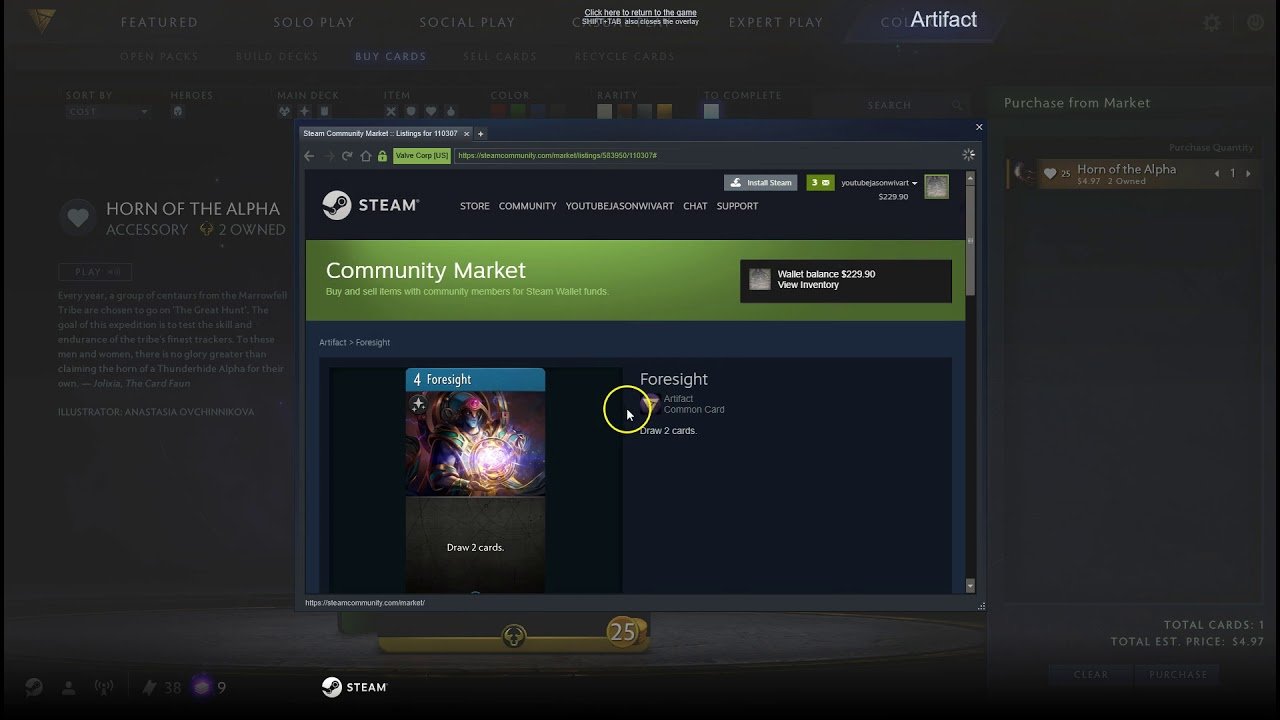
The Steam Market: The Steam Market is a digital marketplace where players can buy and sell tradable items from various games. These items can be cosmetic customizations, in-game items, or even trading cards that can be crafted into badges for your Steam profile.
Beyond the Features: Frequently Asked Questions (FAQs):
Here are some of the most common questions regarding the Steam Community:
How do I access the Steam Community? The Steam Community is accessible through the Steam client or the Steam website after creating a free Steam account.
What are Steam Curators? Steam Curators are individuals or groups who curate lists of games based on specific genres, themes, or player preferences. These curated lists can be a helpful resource for discovering new games that might interest you.
How do I write a good Steam review? High-quality Steam reviews are informative, well-written, and offer specific details about the game’s strengths and weaknesses. Focus on your personal experience, avoid spoilers, and be respectful of other players’ opinions.
How can I avoid bad actors in the Steam Community? Unfortunately, the Community isn’t immune to negativity. If you encounter abusive or harassing behavior, you can report the user to Steam Support. Additionally, utilizing the “block” feature can prevent further interactions with unwanted users.
Beyond the FAQs: Potential Pitfalls to Avoid

While the Community offers a wealth of benefits, there are also potential pitfalls to be aware of:
Review Manipulation: Some developers or publishers may incentivize positive reviews, while players might write negative reviews out of spite. Always be critical of reviews and consider the source before making a purchase decision.
Spoiling Content: Be wary of discussions and guides that might contain spoilers for games you haven’t played yet. Many forums have spoiler tags to warn users, but it’s always best to proceed with caution.
Scams & Phishing: Just like any online platform, the Steam Community can attract scammers. Never share your Steam account information or click on suspicious links, and be wary of users offering unrealistic deals on games or items.
Toxicity: While most interactions within the Steam Community are positive, some users might resort to toxic behavior in discussions or online games. Don’t engage with negativity and utilize the reporting system if necessary.
FAQs
Q: What exactly is the Steam Community?
A: The Steam Community is a social platform built into the Steam client. It allows you to create a profile, connect with friends, join groups dedicated to specific games or interests, participate in discussions, and even showcase your gaming achievements.
Q: How do I access the Steam Community?
A: If you have a Steam account, you automatically have access to the Steam Community. You can access it through the Steam client or the Steam website.
Q: What are some of the key features of the Steam Community?
Friends List: Connect with fellow gamers, chat with them, see what games they’re playing, and join them in multiplayer titles.
Profiles: Create a personalized profile showcasing your favorite games, achievements, and community artwork.
Groups: Discover and join groups dedicated to specific games, genres, or interests. These groups offer a space to discuss strategies, share experiences, and connect with like-minded gamers.
Discussions: Participate in ongoing discussions about games, industry news, or specific topics within groups. Share your thoughts, ask questions, and engage with the community.
Artwork & Screenshots: Showcase your creativity by sharing screenshots and artwork related to your favorite games. You can also browse creations from other community members.
Market: (Note: Requires specific account privileges) Buy and sell in-game items, downloadable content (DLC), and even community-created game modifications directly through the Steam Community Market.
Q: Are there any safety measures in place when using the Steam Community?
A: Steam offers various features to promote a safe and respectful environment. These include:
Privacy Settings: Control who can see your profile information and who can contact you.
Moderation: Steam employs moderators who remove inappropriate content and enforce community guidelines.
Blocking & Reporting: You can block users who harass or disrupt your experience and report any violations to Steam Support.
Q: Where can I learn more about specific features or troubleshoot any issues?
A: The Steam Knowledge Base (accessible through the Steam website) offers detailed articles and guides on using various features of the Steam Community. Additionally, the Steam Support website can help you troubleshoot any problems you encounter.
Q: Are there any resources beyond the official Steam channels?
A: The internet offers a wealth of unofficial resources for the Steam Community. Youtube might have tutorials on using specific features, tips on navigating discussions, or even funny compilations of community moments. Additionally, many gaming websites and forums have dedicated sections for discussing the Steam Community.
Ready to Join the Fun?
The Steam Community offers a fantastic way to connect with fellow gamers, explore new games, and enhance your overall gaming experience. With this FAQ guide, you’re now equipped to dive in and explore the vibrant world of the Steam Community!
To Read More; click here