
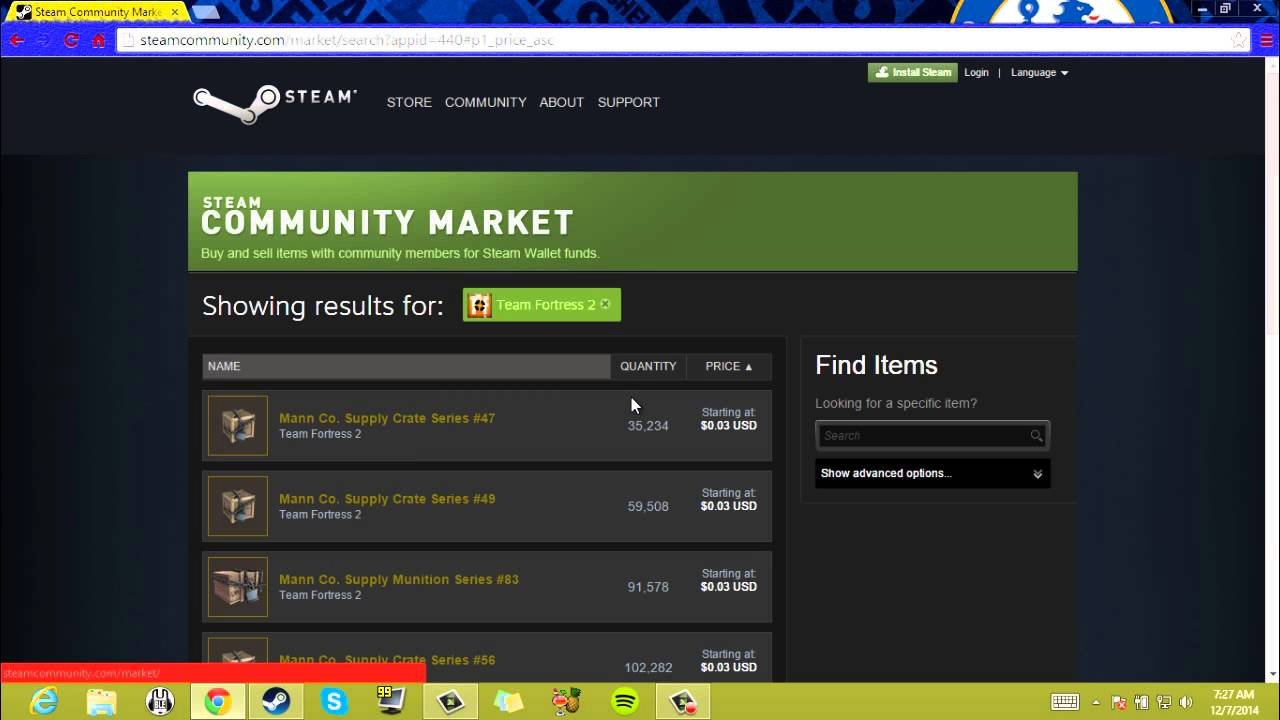
The Steam Community Market has become a bustling hub for gamers to buy, sell, and trade in-game items, Steam trading cards, and even profile customizations. But with its ever-growing popularity, questions arise: is it a haven for savvy traders or a marketplace riddled with inflated prices? This review dives deep into the Steam Community Market, exploring its functionalities, advantages, drawbacks, and offering insights for potential buyers and sellers.
What is the Steam Community Market?

Launched in 2011, the Steam Community Market is an online marketplace integrated within the Steam platform. It allows users to trade various virtual items associated with Steam games and the platform itself. These items include:
In-game cosmetics and items: Skins, weapons, character customizations, and other aesthetic or gameplay-altering items obtainable within specific games. (e.g., CS:GO weapon skins, Dota 2 character sets)
Steam trading cards: These collectible cards can be earned by playing games, crafted into badges that enhance your Steam profile, or sold on the market.
Steam profile items: Profile backgrounds, emoticons, avatars, and showcases to personalize your Steam profile.
Collectible items: Limited-edition items associated with specific games or events.
The market operates on a supply and demand system. Users list items at their desired price, and others can place buy orders at their preferred price point. The market automatically facilitates transactions when a seller’s listing price matches a buyer’s offer.
Benefits of Using the Steam Community Market
The Steam Community Market offers several advantages for both buyers and sellers:
Convenience: The market is seamlessly integrated with Steam, eliminating the need for external trading websites or interacting with strangers. Transactions are completed securely within the Steam ecosystem.
Wide selection: With millions of users, the market boasts a vast array of items for almost any game or Steam-related customization.
Transparency: Price history charts and listings with detailed item descriptions allow users to make informed decisions.
Security: Steam’s secure trading system minimizes the risk of scams or fraudulent transactions.
Price Fluctuations: For savvy traders, the market presents opportunities to buy low and sell high as item prices fluctuate based on popularity and rarity.
Drawbacks to Consider
Despite its merits, the Steam Community Market has some downsides to be aware of:
Fees: Steam takes a 15% cut from every sale, which can reduce profits for sellers and inflate prices for buyers.
Price Discrepancies: Item prices on the Steam Community Market can be higher compared to other trading platforms or directly from the game developer.
Market Manipulation: In some cases, community groups might attempt to manipulate prices by mass-buying or selling specific items.
Limited Functionality: Unlike dedicated trading platforms, the Steam Community Market offers fewer features for managing trades and negotiating with other users.
Is the Steam Community Market Right for You?
Whether the Steam Community Market suits your needs depends on your priorities:
For Casual Buyers:
Pros: Convenience, security, wide selection.
Cons: Potentially higher prices compared to external sites.
For Savvy Traders:
Pros: Opportunity for profit through price fluctuations, large player base.
Cons: Market manipulation, Steam’s commission fees can eat into profits.
For Sellers:
Pros: Easy to list and sell items, secure transactions.
Cons: Steam’s commission fees, potentially lower profits compared to external marketplaces.
Here are some additional factors to consider:
The specific item you’re looking for: Prices and availability can vary across the market. Researching external platforms might yield better deals for certain items.
Your budget: Be prepared for potentially inflated prices compared to base game prices, especially for highly sought-after items.
Your trading experience: If you’re a new trader, the Steam Community Market’s simplicity might be beneficial. More experienced traders might prefer dedicated platforms for advanced features.
Tips for Using the Steam Community Market
Here are some pointers to maximize your experience on the Steam Community Market:
Compare Prices: Before buying, check external marketplaces and community price listings like https://backpack.tf/ to get a sense of fair market value.
Set Price Alerts: Utilize Steam’s notification system to be alerted when desired items reach your preferred price point.
Be Patient: Don’t rush into purchases. Wait for the right opportunity, especially for expensive items.
FAQs
What is the Steam Community Market?
The Steam Community Market is an online marketplace built into the Steam platform where users can buy and sell in-game items, Steam trading cards, profile backgrounds, emoticons, and even some game soundtracks. It uses a buy-and-sell order system, allowing you to set your desired price for purchases or sales.
Is the Steam Community Market safe?
Generally, the Steam Community Market is a safe and secure way to buy and sell items. Transactions are conducted through your Steam Wallet, minimizing the risk of scams compared to external trading sites. However, it’s still important to be vigilant. Here are some safety tips:
Never click on suspicious links. Phishing scams can try to trick you into logging into fake Steam websites.
Double-check the item you’re buying. Make sure it’s the correct item with the desired quality and attributes.
Review the seller’s reputation. Look for users with positive reviews and a long history on Steam.
What are the fees associated with the Steam Community Market?
Valve, the company behind Steam, takes a 15% cut from every sale on the Community Market. This fee is split between the buyer and seller, with each party paying 5%.
How do I buy something on the Steam Community Market?
Browse the market for the item you want. You can search by game, item type, or name.
Click on the item to see its details and current listings.
Find a listing with a price you’re comfortable with and click the “Buy Now” button.
Confirm the purchase and the item will be added to your Steam inventory.
How do I sell something on the Steam Community Market?
Go to your Steam inventory and select the item you want to sell.
Click the “Sell” button.
Set your desired price and choose whether you want a fixed price listing or a starting price for an auction.
Confirm the listing and wait for someone to buy your item.
Once your item sells, the funds will be added to your Steam Wallet after the 15% fee is deducted.
Are there any downsides to using the Steam Community Market?
Prices can be higher than on third-party marketplaces. Due to the convenience and security of the Community Market, some items may be slightly more expensive compared to external trading sites.
Limited price negotiation. Unlike some external marketplaces, the Community Market uses a buy-and-sell order system, so there’s less room for direct negotiation with sellers.
Fees can add up. The 15% transaction fee can be significant for high-value items.
What are some alternatives to the Steam Community Market?
There are several third-party marketplaces where you can buy and sell Steam items. However, these sites often come with a higher risk of scams and may have less user protection. Here, it’s crucial to research the reputation of the marketplace before using it.
Ultimately, the best platform for you depends on your priorities. If you value convenience and security, the Steam Community Market is a good option. If you’re looking for the absolute best price and are comfortable with a bit more risk, you might consider a third-party marketplace.
To Read More; click here