
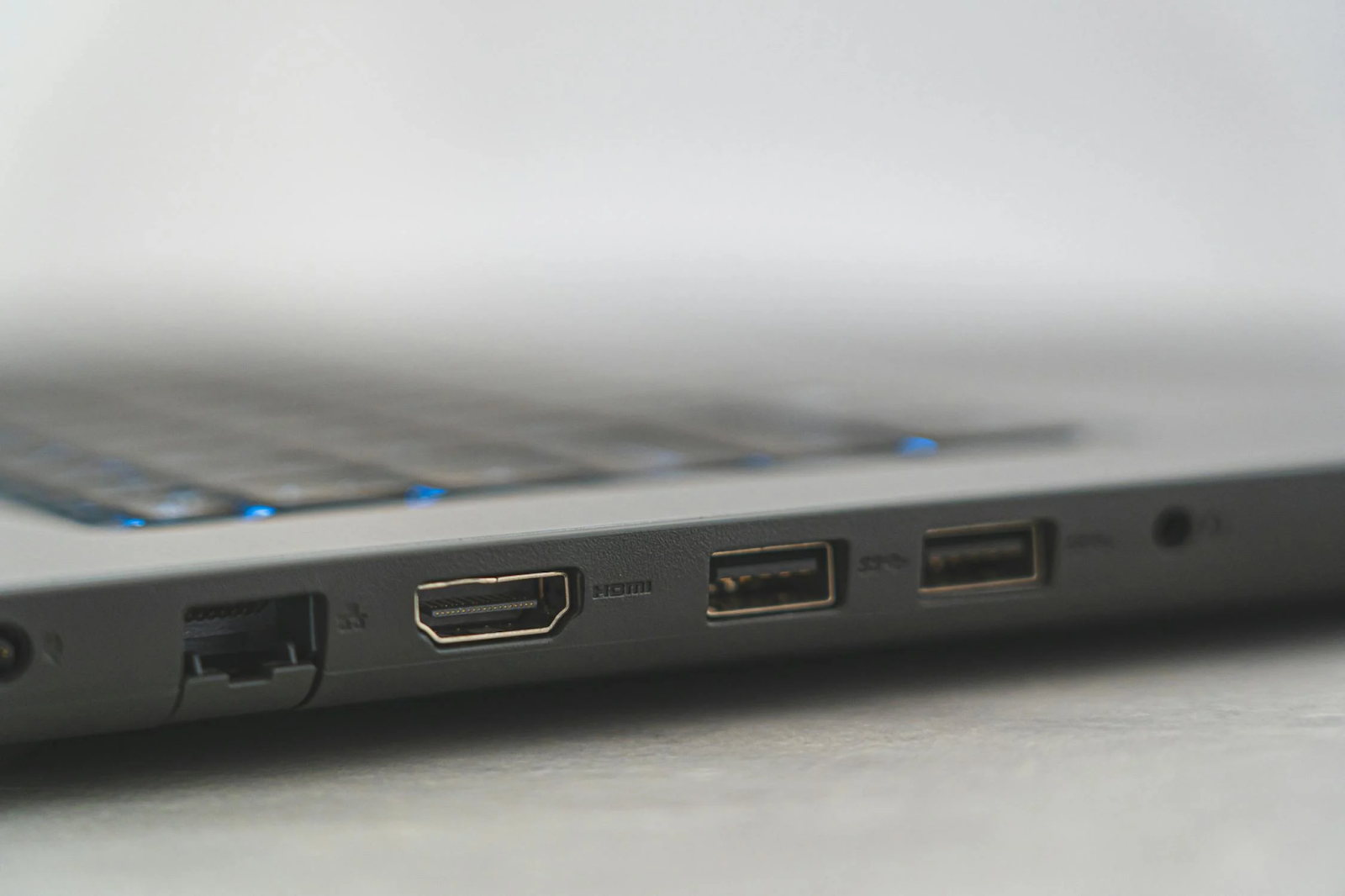
In an era where technology evolves at a rapid pace, the need to connect different types of devices has become increasingly important. One common challenge is connecting HDMI devices to USB ports, and this is where HDMI to USB converters come into play. This article delves into what HDMI to USB adapters are, how they work, their applications, and why they’re essential in today’s tech landscape.

What is an HDMI to USB Adapter?
An HDMI to USB adapter is a device that allows you to connect an HDMI output, such as a computer or gaming console, to a USB port on another device. This adapter is crucial for scenarios where you need to capture or stream HDMI video and audio through a USB interface. It acts as a bridge between HDMI, a widely used video and audio interface, and USB, a versatile data transfer standard.
How Does an HDMI to USB Adapter Work?
The functioning of an HDMI to USB adapter involves several key processes:
1. Signal Conversion
HDMI (High-Definition Multimedia Interface) transmits high-definition video and audio signals. However, USB (Universal Serial Bus) is primarily designed for data transfer and not for carrying high-bandwidth video and audio signals directly. An HDMI to USB adapter contains built-in circuitry that converts HDMI signals into a format that can be transmitted over USB.
2. Driver and Software Integration
Many HDMI to USB adapters require specific drivers or software to function correctly. These drivers ensure that the converted signal is properly recognized by the computer or other receiving devices. Some adapters come with installation CDs or downloadable software to facilitate this process.
3. Encoding and Decoding
The adapter often encodes the HDMI signal into a format suitable for USB transmission and then decodes it back to a viewable format on the connected device. This process ensures that the quality of the video and audio is maintained during the conversion.
Applications of HDMI to USB Adapters
1. Video Recording and Streaming
One of the most popular uses of HDMI to USB adapters is for video recording and streaming. Content creators, gamers, and professionals often use these adapters to capture video from HDMI sources like game consoles, cameras, or set-top boxes. The adapter converts the HDMI signal into a USB format that can be easily recorded or streamed using software on a computer.
2. Connecting Legacy Devices
In some cases, you may need to connect older HDMI devices to newer computers or systems that lack HDMI inputs but have available USB ports. For example, you might want to connect an older HDMI camera to a computer for live streaming or video conferencing. An HDMI to USB adapter makes this possible by bridging the connectivity gap.
3. Meeting and Presentation Setups
In professional settings, HDMI to USB adapters are often used to connect HDMI-equipped devices like laptops or presentation tools to USB-based video capture devices or streaming equipment. This setup is useful for meetings and presentations where a seamless connection between different types of technology is required.
Key Features to Consider When Choosing an HDMI to USB Adapter
1. Resolution Support
When selecting an HDMI to USB adapter, consider the resolution it supports. Some adapters can handle high-definition resolutions up to 1080p, while others might support 4K. Choose an adapter that matches your needs based on the video quality you require.
2. Latency and Performance
Latency refers to the delay between the input signal and its output. For tasks like live streaming or gaming, low latency is crucial to ensure that the video and audio are transmitted in real-time. Look for adapters with low latency to ensure smooth performance.
3. Compatibility
Ensure that the adapter is compatible with your operating system and software. Most HDMI to USB adapters work with common operating systems like Windows and macOS, but it’s always good to verify compatibility before purchasing.
4. Build Quality and Durability
The build quality of the adapter affects its longevity and performance. Opt for adapters made from high-quality materials that offer durability and reliable performance over time.
Latest Trends in HDMI to USB Technology
1. Enhanced Resolution and Frame Rate Support
Recent advancements in HDMI to USB adapters include support for higher resolutions and frame rates. With the growing popularity of 4K and even 8K video, newer adapters are designed to handle these high-definition formats, ensuring that users can enjoy the best possible video quality.
2. USB 3.0 and 3.1 Compatibility
Older HDMI to USB adapters often used USB 2.0, which has limited bandwidth. Modern adapters now utilize USB 3.0 or 3.1, providing faster data transfer rates and improved performance. This is particularly important for high-resolution video and audio streaming.
3. Integrated Hardware Encoding
Some of the latest HDMI to USB adapters come with integrated hardware encoding capabilities. This feature allows the adapter to handle video encoding tasks more efficiently, reducing the load on the computer’s CPU and improving overall performance.
FAQs
What is an HDMI to USB adapter?
An HDMI to USB adapter is a device that converts HDMI signals into USB signals. This allows you to connect devices with HDMI outputs, such as gaming consoles or laptops, to USB inputs, which can be useful for recording, streaming, or transferring video and audio.
How does an HDMI to USB converter work?
The HDMI to USB converter works by capturing the HDMI output from a source device, converting the digital signal into a format compatible with USB interfaces, and then transmitting it to a connected USB port. This process typically involves a built-in chipset that handles the conversion and ensures the signal maintains its quality.
What are the main uses of an HDMI to USB adapter?
HDMI to USB adapters are commonly used for video capture, allowing users to record or stream content from HDMI sources. They are also used for connecting HDMI devices to computers or other equipment that only have USB ports. This can be useful for adding additional screens, recording gameplay, or streaming live video.
Can you use an HDMI to USB adapter for gaming?
Yes, HDMI to USB adapters are often used in gaming setups. They allow gamers to capture and stream gameplay footage from consoles like the PlayStation or Xbox to a computer for live streaming or recording. It’s important to choose an adapter with low latency and high resolution to ensure smooth gameplay and recording quality.
What is the difference between an HDMI to USB adapter and an HDMI capture card?
While both devices convert HDMI signals, an HDMI capture card is typically more specialized and offers higher performance for tasks such as live streaming and professional video capture. HDMI to USB adapters are more general-purpose and can be less expensive, but may not offer the same level of quality or features as dedicated capture cards.
Are there any limitations to using an HDMI to USB adapter?
Yes, there are a few limitations. The quality of the output may be affected by the adapter’s resolution and refresh rate capabilities. Additionally, some adapters may introduce latency, which can be problematic for real-time applications like gaming. It’s also important to ensure compatibility between the adapter and the devices you’re connecting.
Do I need any special drivers or software to use an HDMI to USB adapter?
Most HDMI to USB adapters are plug-and-play, meaning they do not require additional drivers or software for basic functionality. However, some advanced features or higher quality settings might require installing specific drivers or software provided by the adapter manufacturer.
Can I use an HDMI to USB adapter with a Mac or a Windows PC?
Yes, HDMI to USB adapters are generally compatible with both Mac and Windows PCs. However, it’s always a good idea to check the manufacturer’s specifications to ensure compatibility with your operating system and any additional software requirements.
What resolution and frame rate can HDMI to USB adapters support?
The resolution and frame rate supported by an HDMI to USB adapter can vary depending on the model. Common adapters support resolutions up to 1080p (Full HD) at 30fps (frames per second). Higher-end models might support 4K resolution or higher frame rates, but these tend to be more expensive.
Are there any alternatives to HDMI to USB adapters?
Yes, alternatives include HDMI to HDMI cables for direct connections between HDMI devices or using streaming devices and capture cards that offer more advanced features. Depending on your needs, a dedicated HDMI capture card might be a better option if you require high-quality video capture and streaming capabilities.
How do I choose the right HDMI to USB adapter for my needs?
When selecting an HDMI to USB adapter, consider factors such as resolution and frame rate support, compatibility with your devices, ease of installation, and any additional features you might need (like built-in recording capabilities). Reading reviews and checking the specifications can help you make an informed decision.
Can HDMI to USB adapters transmit audio as well as video?
Yes, most HDMI to USB adapters can transmit both audio and video signals. However, it’s important to confirm this feature with the adapter’s specifications, as some models might only handle video or have limited audio capabilities.
Conclusion
HDMI to USB adapters play a crucial role in modern technology by bridging the gap between different types of devices and interfaces. Whether you’re a content creator, gamer, or professional, understanding the function and features of these adapters can help you make informed choices for your tech setup. With advancements in resolution support, performance, and compatibility, HDMI to USB adapters continue to evolve, meeting the demands of today’s high-tech world.
To read more, Click Here.